Content Snare pricing - $35/mo and what it lacks

Content Snare is a document and content collection tool built for agencies and accountants. You send a client one structured request, track every item on it, and let the software chase what is missing. Reviewers approve: 4.7 out of 5 on G2 from 54 reviews, 4.9 out of 5 on Capterra from 34 reviews. Annual pricing starts at $35 per month for 20 active requests and 2 users. It is very good at one job. It does not do the jobs on either side of it.
Disclosure: Portico competes with Content Snare in the client onboarding space. This review is published on our blog. We have applied the same evaluation criteria we use for all product reviews and included Content Snare's genuine strengths alongside its limitations. Read our editorial policy for details.
What Content Snare does well
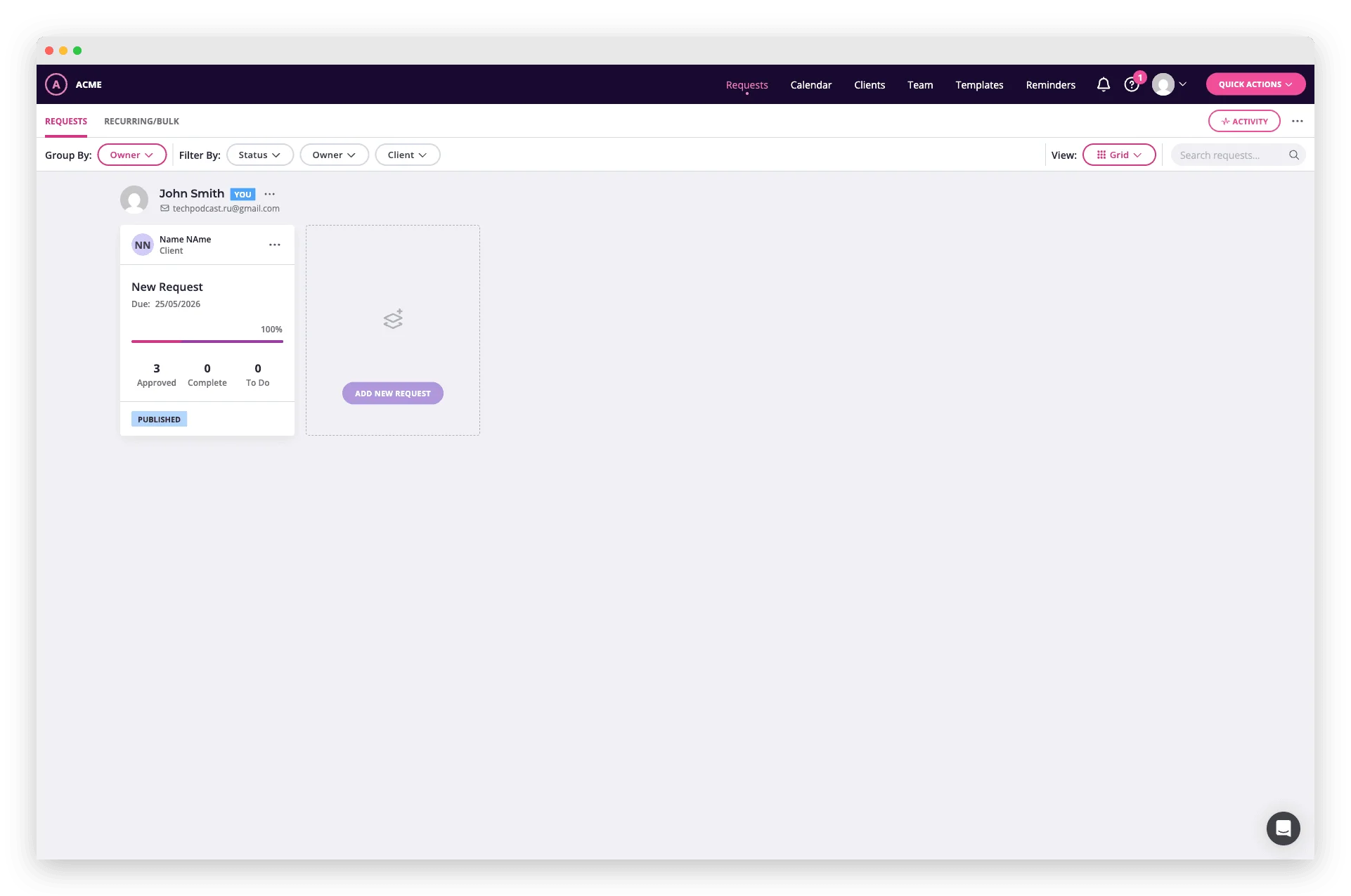
Content Snare's strongest feature is its per-field review workflow. A client uploads a document or types an answer. You approve it, reject it, or send it back for a fix, one item at a time. The client sees which items passed and which came back. Nobody reconstructs an email thread to find out. That sounds like a small thing. In an accounting engagement with 15 to 20 requested documents, knowing that 12 are approved and 3 need corrections saves hours of back-and-forth.
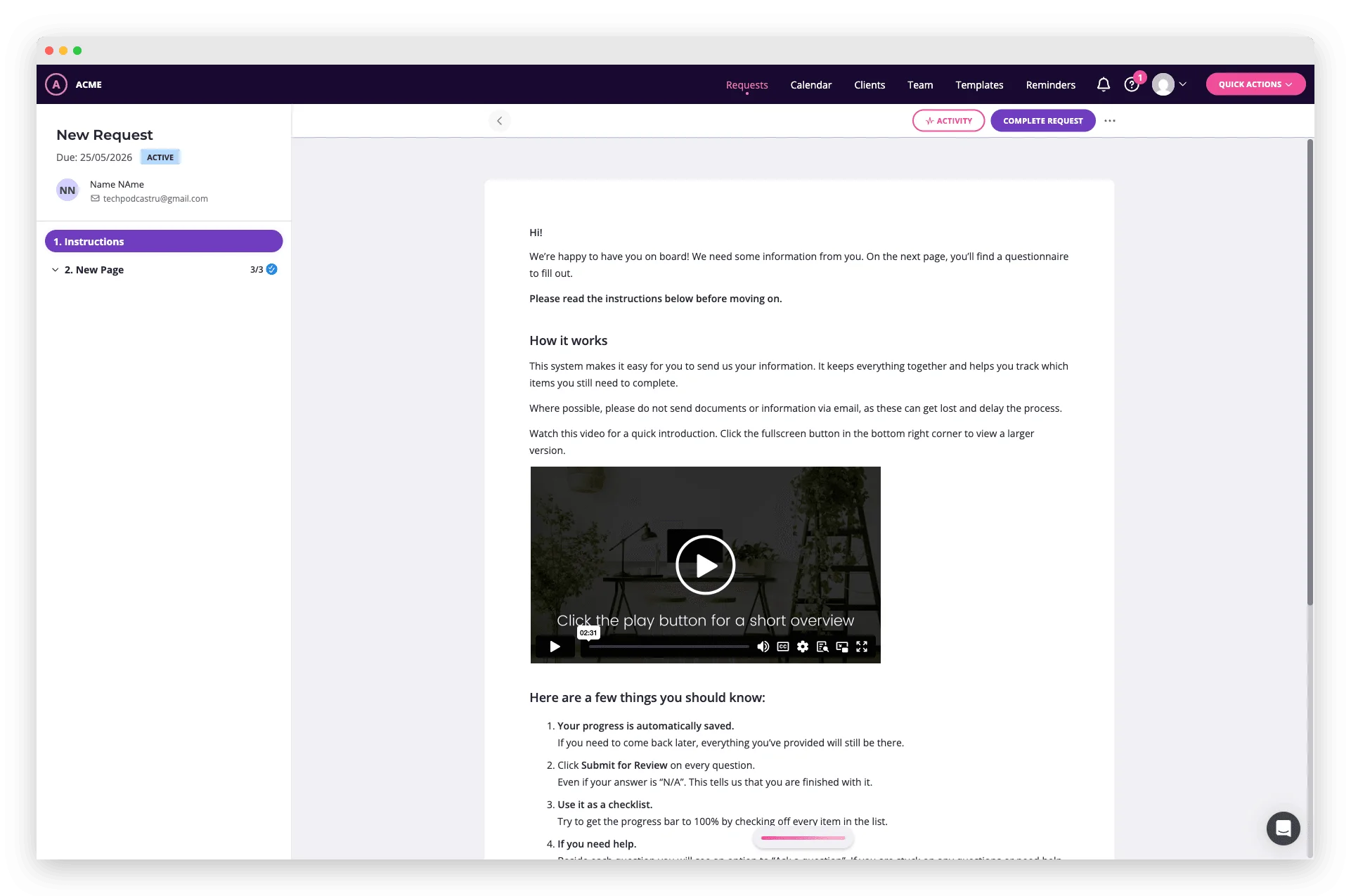
Automated reminders that reference specific items
Content Snare's reminder system goes beyond "you have outstanding items." It names the specific documents and fields still missing. According to Content Snare's own customer survey, this approach reduces collection time by 71%. Reminders stop on their own once the item arrives. You set the schedule (frequency, escalation, and final deadline) and then stop thinking about it.
Templates built for real workflows
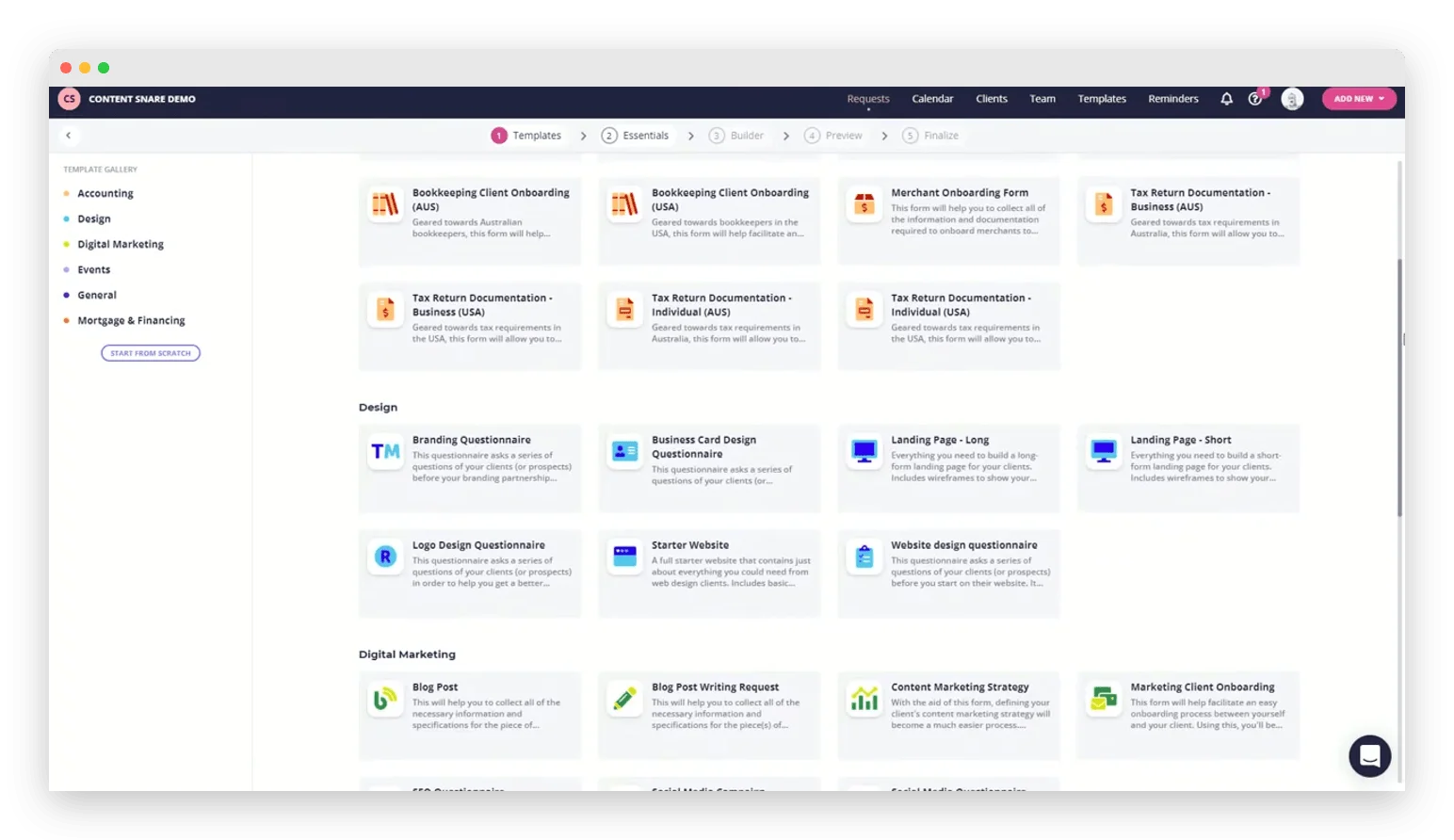
Content Snare includes 50 or more templates for common agency and accounting workflows. They cover tax return checklists, website redesign briefs, brand asset requests, and client intake questionnaires. You edit them in a drag-and-drop builder. Conditional logic hides the fields a given client does not need to see. An agency collecting website assets shows one set of upload fields to a client with a brand guide, another to a client without.
Clean client experience for document collection
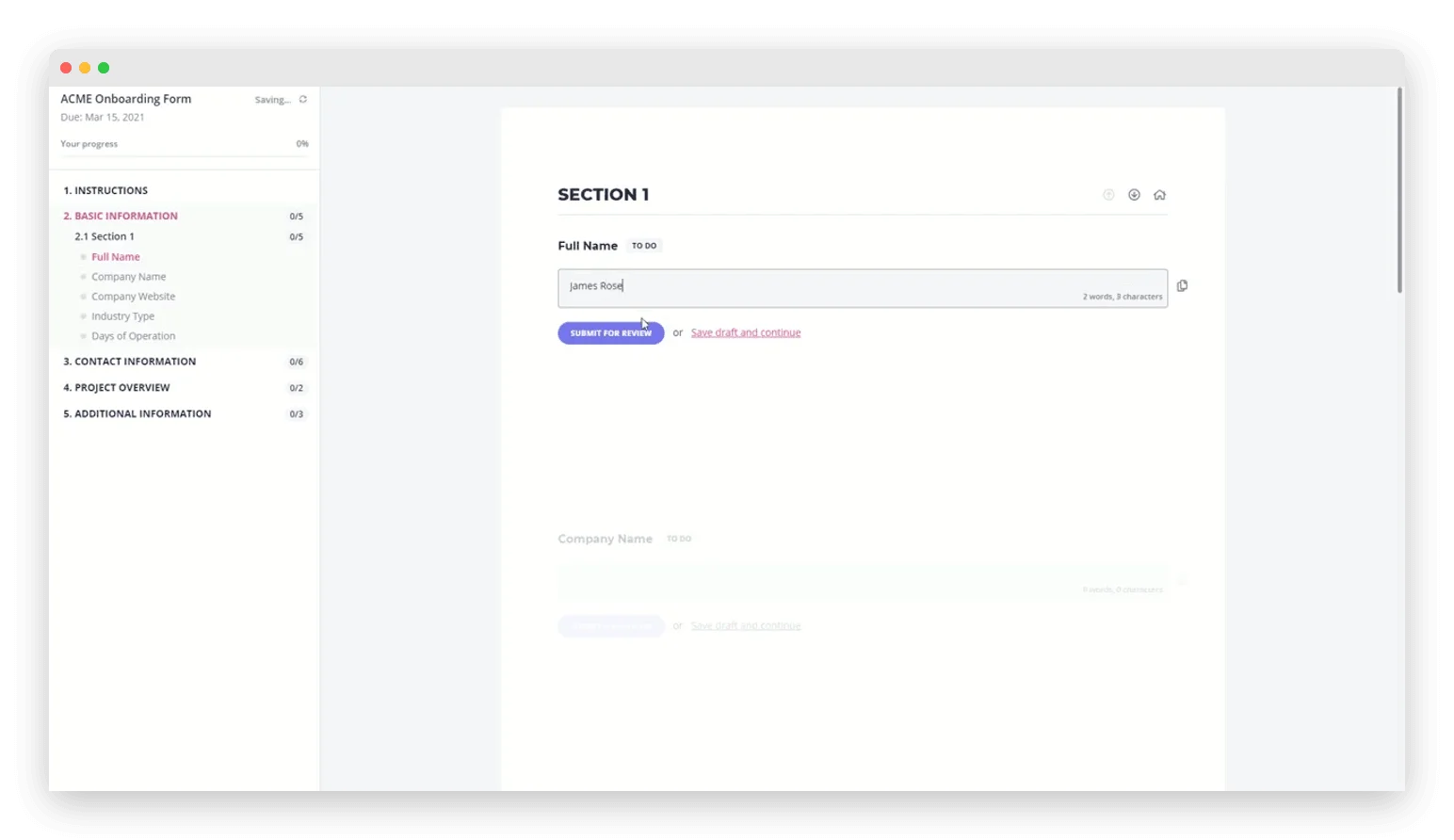
The client-facing request interface is straightforward. Clients see a list of items with the instructions attached to each one. They upload files, type answers, or pick options. Auto-save means a half-finished form is not lost work. Nobody has to create a Content Snare account; the request opens from a direct link. For the specific job of "collect these 12 things from this client," that is exactly enough.
Where Content Snare falls short
Content Snare is a document collection tool. It is not a client onboarding platform. That distinction is not marketing. It shows up the moment your workflow needs anything besides files and answers.
No native e-signatures
Content Snare does not offer built-in e-signatures at any pricing tier. Since July 2026 Content Snare integrates with two Australian signing vendors, FuseSign and Annature. The client signs in the vendor's interface, and your firm needs its own paid vendor account. A signed engagement letter, NDA, or service agreement has to happen somewhere else. That is two links for the client: one for Content Snare, one for DocuSign or HelloSign. Accounting firms feel this first. Nearly every new client engagement starts with a signed letter of engagement before document collection begins.
No payment collection
There is no Stripe integration or payment processing in Content Snare. Setup fees, retainers, and deposits live in a third tool, behind a third link. A design agency that charges a project deposit before starting work collects the money in one place and the brand assets in another.
Branded email confusion
Emails from Content Snare come from Content Snare's domain, not yours. Your client gets a note from a stranger asking for sensitive financial documents. People are trained to distrust exactly that. G2 reviewers have flagged it: clients do not recognize the email and ignore it, or mark it as spam. You can rewrite every word in the email. You cannot change who it appears to come from.
Basic client portal
Content Snare's client portal is limited to a file drop interface, currently in beta. There is no branded login, no list of active requests, no view of overall onboarding progress. Each request is a standalone link, floating on its own. If you run repeat rounds of document collection with the same client, they never get one place that holds it all.
No workflow automations beyond reminders
Content Snare automates follow-up reminders. What happens after the files land is still your job. There is no trigger like "when all items are approved, notify the team in Slack." Zapier integration covers basic connections. Inside the product, automation stops at reminders.
No multilingual support
Content Snare's interface and templates are English-only. Clients who prefer French, Spanish, German, or another language get the client-facing request in English anyway.
Who Content Snare is best for
Content Snare is a strong fit for businesses whose onboarding is primarily about collecting things from clients, and nothing else.
Accounting firms collecting tax documents. If your workflow is "send client a list of 20 documents, chase them until everything arrives, review each item," Content Snare handles that cleanly. Tax season is where it pays off. Dozens of clients, near-identical document checklists, and one approval system tracking who still owes what.
Agencies collecting brand assets and content. Website redesigns, marketing campaigns, and content production all need the same pile of files out of the client. Build the request once with templates and conditional logic, then run it again on the next project.
Consultancies that separate collection from contracts. If contracts and payments already live in other tools, you have one hole left to fill. Content Snare fills it without selling you a full platform you did not ask for.
Who should look elsewhere
Businesses that need e-signatures as part of intake. If your client onboarding starts with a signed contract or engagement letter, Content Snare cannot handle that step on its own: signing runs through its FuseSign or Annature integrations, on the vendor's site and on your own vendor account. You will need a separate e-signature tool. Two links, two platforms, two sets of follow-up reminders to keep straight.
Businesses that collect payments during onboarding. Setup fees, project deposits, and first invoices are part of getting a client started. Content Snare has no payment processing. The client fills out forms in one tool and pays in another. That seam is visible from their side.
Teams that want a unified onboarding flow. If your ideal process is "client clicks one link, fills out the intake form, uploads documents, signs the contract, and pays the deposit," Content Snare covers only the middle two steps. The rest you buy somewhere else.
International teams. If your clients do not all read English, Content Snare's English-only interface settles the question for you.
Content Snare pricing breakdown
All prices below are from contentsnare.com as of May 2026.
| Basic | Plus | Pro | Custom | |
|---|---|---|---|---|
| Annual billing | $35/mo | $71/mo | $119/mo | $215/mo |
| Monthly billing | $42/mo | $85/mo | $143/mo | $258/mo |
| Active requests | 20 | 50 | 100 | 200 or more |
| Users | 2 | 5 | 10 | 20 or more |
| Storage | 20 GB | 50 GB | 100 GB | 200 GB or more |
| SMS per month | 40 | 100 | 200 | 400 or more |
All plans include unlimited clients, unlimited reminders, unlimited templates, the drag-and-drop builder, the approval system, email templates, and Zapier integration. Content Snare offers a 14-day free trial with no credit card required. Plus tier and above include a personalized onboarding call.
Whether that is a good price depends on where you land. At $35 per month (annual, Basic), Content Snare is fairly priced for one job done well. At $119 per month (annual, Pro), you are paying more than full-featured onboarding platforms that include e-signatures and payments. Content Snare does not offer either one at any tier.
How Content Snare compares to alternatives
| Feature | Content Snare | Portico | Clustdoc | OnboardMap |
|---|---|---|---|---|
| Starting price | $35/mo | $39/mo | $190/mo | $49/mo |
| E-signatures | No | Yes | Yes | No |
| Payment collection | No | Yes | No | No |
| Per-field review | Yes | Yes | Yes | No |
| Templates | 50 or more | Industry-specific | Yes | Limited |
| Conditional logic | Yes | Yes | Yes | No |
| Multilingual | No | No | Yes | No |
| Automated reminders | Yes | Yes | Yes | Yes |
| Custom domain | No | Yes (higher tiers) | Yes | No |
| Client portal | Basic (beta) | Full branded portal | Yes | Basic |
Prices reflect annual billing. Content Snare and Portico cost about the same. Portico includes native e-signatures and payment collection; Content Snare outsources signing to FuseSign or Annature and has no payment step. Clustdoc does the most and charges the most. See our Clustdoc review for the full breakdown. OnboardMap is the cheapest and skips per-field review, e-signatures, and conditional logic. For a side-by-side comparison of Content Snare and Clustdoc, see our dedicated matchup.
For a detailed side-by-side analysis, see our Content Snare comparison page. For a broader evaluation framework, read best client portal software.
The bottom line
Content Snare is a focused, well-executed document collection tool. Its per-field review workflow beats what most competitors offer. If your client onboarding really is purely "collect documents and information," it earns its 4.7-star rating.
The gaps show up the moment your workflow reaches past collection. No native e-signatures, no payments, no custom domain, no full client portal. Every gap gets filled by another tool. Every tool is another link, another login, another place where clients get lost.
If collecting documents from clients is your whole problem, Content Snare solves it well. If your problem is client onboarding (the full sequence from first contact to first deliverable), that is a different tool. Know which problem you have before you pay for either.
Frequently Asked Questions
Vlad Kuzin
Founder of Portico. Former content systems architect. Obsessed with removing friction from client workflows.
Onboard your next client with one link
Intake forms, documents, e-signatures, and payments in a single guided flow.
Start FreeNo credit card required. Cancel anytime.