Clustdoc pricing - $190/mo and the hidden costs

Clustdoc is purpose-built client onboarding software for regulated industries. It handles document collection, intake forms, e-signatures, payments, and approval workflows. It also has built-in KYC/KYB identity verification, which most onboarding tools do not offer. Reviewers rate it 4.7 out of 5 on both G2 (61 reviews) and Capterra (61 reviews). Then you get to the price. The starting price is $190 per month for 3 seats and a single process type.
Disclosure: Portico competes with Clustdoc in the client onboarding space. This review is published on our blog. We have applied the same evaluation criteria we use for all product reviews and included Clustdoc's genuine strengths alongside its limitations. Read our editorial policy for details.
What Clustdoc does well
KYC/KYB identity verification
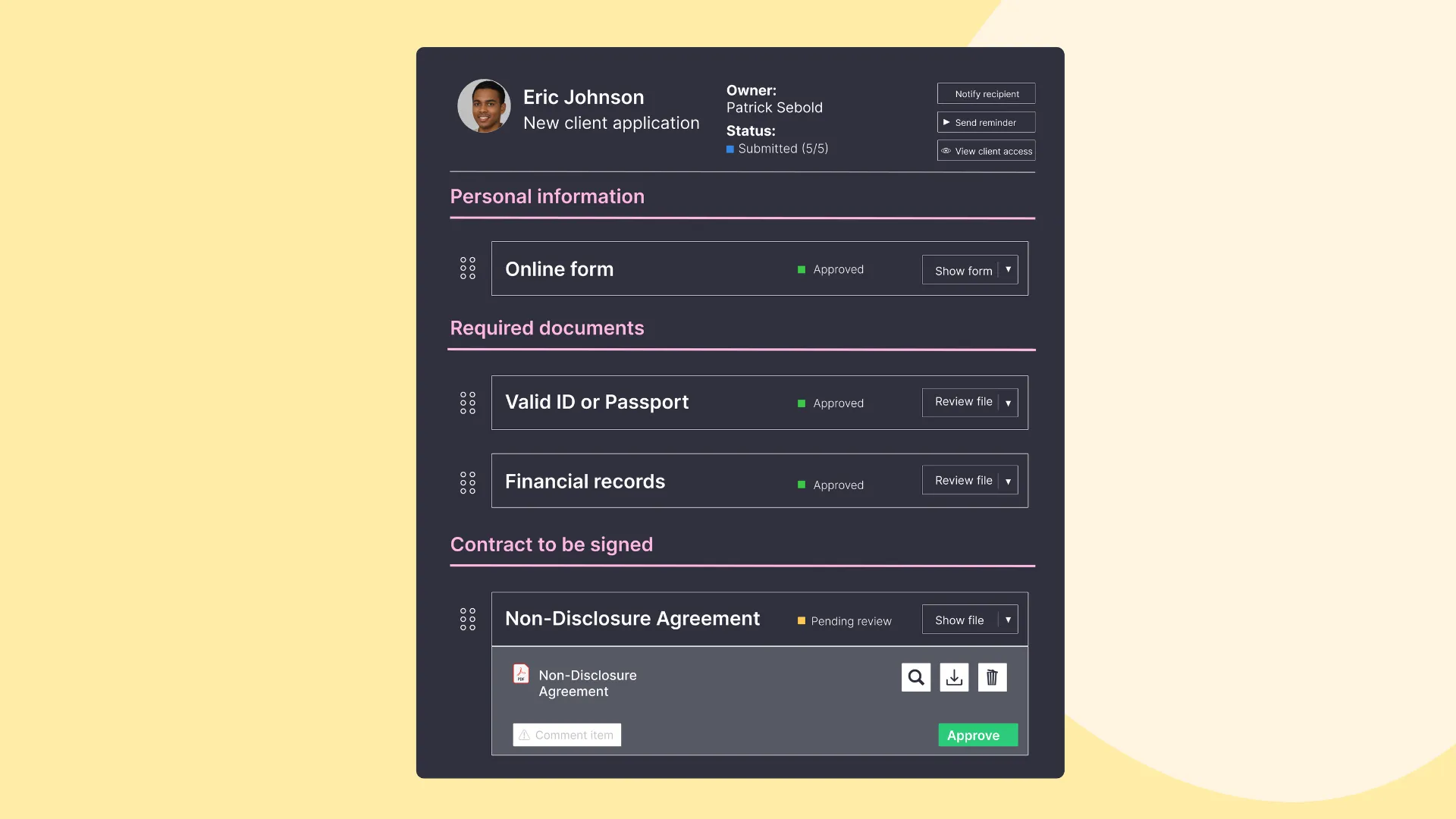
This is Clustdoc's standout feature. Identity verification, proof-of-address checks, and risk scoring all run inside the product. Few SMB onboarding tools handle regulatory compliance natively. Financial services firms, legal practices, and HR departments have to prove the client is real before the work starts. Replicating that with another onboarding tool means bolting on a separate KYC provider. Most competitors require exactly that.
ISO 27001 certification
Clustdoc holds ISO 27001 certification, an internationally recognized information security standard. That matters at one specific moment: when procurement sends over the security questionnaire. Somebody outside the company audited how Clustdoc handles data, access controls, and security processes. You get to answer the question instead of arguing with it.
Conditional logic and approval workflows
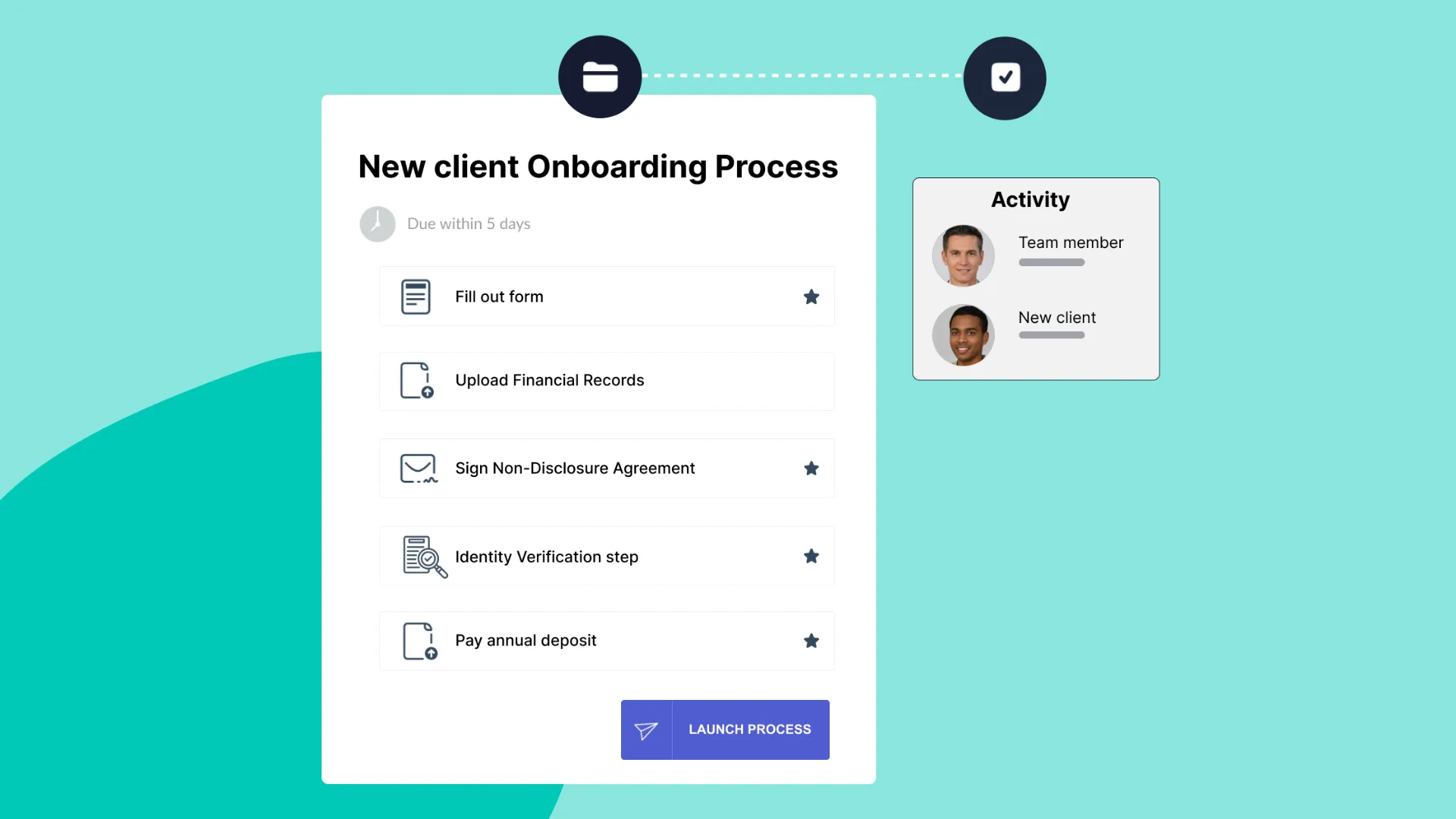
Onboarding flows can branch based on client profile or predefined rules using conditional logic. Answer one question a certain way and later tasks appear or vanish. Approval workflows let your own team review and sign off before the client moves forward. Run one process for every client and none of this matters. Run a different process per client type and it does.
Templates and multilingual support
Clustdoc offers 200 or more templates across industries and supports 10 or more languages. Starting from a template beats starting from an empty screen, and it beats it harder across borders. The library covers financial services, legal, HR, real estate, insurance, consulting, and education.
Integration ecosystem
Clustdoc ships 1,500 or more integrations through Zapier-style connectors, a REST API, and cloud sync. It connects to the tools you already run. Chrome and WordPress plugins extend it further.
Where Clustdoc falls short
E-signature fields shift in PDF documents
Multiple reviewers report that fill-in fields on PDF documents do not stay where they are positioned. One CEO in Legal Services gave a 2-star G2 review over this issue alone:
"Fill-in fields in PDF documents for e-signature are ALWAYS shifted from the place you put them." — Michael K., CEO, Legal Services (G2)

Joseph W. (CEO, Marketing) noted on Capterra that verification codes arrive with delays. The client has to enter the code inside a timed window that keeps running. If signature placement accuracy matters to your work, that is a serious problem.
Form builder UX needs modernization
Reviewers describe the form building experience as dated. Kirk L. (Director, Legal Services) wrote in a 4-star G2 review: "Moving fields around [during form development] is painful." Ross S. (MD, Financial Services) gave 5 stars on G2 and still noted that copying questions loses formatting. Sumeet M. (Founder/CEO, Legal Services) called the form interface "quite outdated" on Capterra. The product works. Building with it is the part that hurts, and it hurts more with every branch you add.
No auto-save on client-facing forms
Capterra reviewers report that Clustdoc forms do not auto-save client progress. Close the browser, lose the connection, lose the work. Then ask a client who just uploaded financial documents and identification to do all of it again. That is where drop-off comes from.
$190 per month minimum entry price
The Pro plan starts at $190 per month and includes 3 seats, 1 standard process type, and 50 applications per month. The Expert and Ultimate plans are quote-only. Onboard 10 to 15 clients per month and most of that capacity sits idle. Alternatives offer free tiers or start below $50 per month.
Hidden costs add up
Custom themes cost $389 each beyond the one free theme included. Putting your domain on the portal and taking Clustdoc branding off it requires a paid "Booster" add-on. The price of that add-on is not published anywhere. Multiple G2 reviewers report that pricing increased from roughly $100 per month to $440 per month for the same features. No notice went out first.
Setup complexity at scale
Clustdoc works well for simple onboarding flows. Run one and it stays simple. Laura A. (Attorney, 4-star G2 review) put it directly: "With about 27 different processes to configure, the setup is very time consuming." Every process type gets configured on its own. The setup work multiplies with your client types.
Clustdoc pricing breakdown
Clustdoc publishes one price. For the other two tiers, you talk to sales.
| Pro | Expert | Ultimate | |
|---|---|---|---|
| Monthly price | $190 | On quote | On quote |
| Seats | 3 | 5 or more | 10 or more |
| Process types | 1 standard | Up to 10 | Custom |
| Applications per month | 50 | 150 | Custom |
| Storage | 25 GB | 50 GB | Custom |
| E-signatures | Limited | Unlimited | Unlimited |
| Reminders | Limited | Unlimited | Unlimited |
Costs not included in the base price
- Custom themes: $389 per theme (1 free theme included with all plans)
- White-label and custom domain: Requires "Booster" add-on at additional monthly cost (not publicly listed)
- Additional seats beyond plan limit: Requires upgrading to a higher tier
You cannot budget for Expert or Ultimate without getting sales on the phone. Ask for the quote in writing, with every add-on cost on it, before you commit.
Who Clustdoc is best for
Clustdoc earns its 4.7-star rating for a reason. The fit is narrow, and inside it the product is strong:
- Financial services firms needing KYC/KYB. Built-in identity verification and risk scoring are rare in SMB onboarding tools. If verifying client identity is part of intake, you do not buy a second product to do it.
- Legal firms with compliance requirements. Data retention rules, audit trails, and ISO 27001 certification stop being paperwork the day a client or a regulator asks about your vendor stack.
- Organizations needing ISO 27001 certified vendors. If procurement requires the certification, Clustdoc has it. Most competing tools do not.
- High-volume teams processing 30 or more applications per month. At that volume, the $190/month Pro plan costs roughly $6 per application. That is cheap next to processing the same application by hand.
Who should look elsewhere
Clustdoc is not the right fit for every team:
- SMBs onboarding fewer than 20 clients per month. At $190/month for 50 applications, you are buying capacity you will never touch. Portico starts free with 3 onboardings per month, and the $39/month plan covers 25.
- Teams that need reliable e-signatures without PDF issues. If signed documents are the work, test the documented field-shifting issue yourself before you commit.
- Anyone who needs auto-save on client-facing forms. A long intake form without auto-save asks the client to gamble. Portico auto-saves on every field change.
- Budget-conscious teams. Portico offers a free tier. Content Snare starts at $35 per month for document collection. Clustdoc's $190/month minimum, plus add-on costs, is a different price class.
How Clustdoc compares to alternatives
| Clustdoc | Portico | Content Snare | Moxo | |
|---|---|---|---|---|
| Starting price | $190/mo | Free | $35/mo | On quote |
| KYC/KYB verification | Yes | No | No | No |
| E-signatures | Yes (PDF field issues reported) | Yes | No | Yes |
| Auto-save | No | Yes | Yes | Yes |
| ISO 27001 or SOC 2 | ISO 27001 | Planned (AWS is SOC 2) | Neither listed | SOC 2 |
| Setup time | Days to weeks | Under 15 minutes | Under 30 minutes | Days |
| Multilingual | 10 or more languages | 9 locales | English | Multiple |
| Best for | Regulated industries | SMB service businesses | Document collection | Enterprise onboarding |
Each tool serves a different segment. Clustdoc is the compliance-first choice. Portico is built for SMB service businesses that want onboarding, signatures, and payments in a single flow. Content Snare collects documents and content. Moxo goes after enterprise teams with complicated client work. For a head-to-head comparison of Content Snare and Clustdoc, see our dedicated matchup article.
For a broader comparison, see our guide to the best client portal software.
The bottom line
Clustdoc is a capable onboarding platform with a genuine competitive advantage in KYC/KYB identity verification and ISO 27001 certification. In regulated industries, compliance is not a preference. Clustdoc fills a gap that most alternatives leave open.
The trade-offs are real: a $190/month floor, documented e-signature issues, an aging form builder, no auto-save, and hidden costs. The number you pay is not the number on the pricing page. Without a compliance requirement, that is a lot to carry for nothing.
If identity verification drives the decision, evaluate Clustdoc seriously. If onboarding UX, pricing, and e-signature reliability matter more, compare it against Portico and the alternatives listed above. Run both on your real workflow before you sign an annual plan.
For a detailed feature-by-feature comparison between Portico and Clustdoc, see the Clustdoc alternative page. For security-specific evaluation criteria, see our secure client portal guide.
Frequently Asked Questions
Vlad Kuzin
Founder of Portico. Former content systems architect. Obsessed with removing friction from client workflows.
Onboard your next client with one link
Intake forms, documents, e-signatures, and payments in a single guided flow.
Start FreeNo credit card required. Cancel anytime.